Samsung Galaxy Z Fold7 Hands-On Review: The Return of the ‘Pocket-Sized Tablet’ with Beefed-Up Performance and Size! Plus It’s a High-Performance Smartphone! - 翔也ガジェットブログ

#Samsung #GadgetReview #Fold7 #GalaxyZFold7 #ProductReview #FoldableTablet #Tablet
This article includes affiliate advertising (PR) as Samsung PR Office kindly loaned me the product. There’s no prior content approval or monetary compensation involved. Since I want to stay true to both the gadget itself and my readers, I won’t sugarcoat this review even though it’s a loaner unit. Samsung fans might find some parts unpleasant, so fair warning.
Hey there, I’m Show-ya Kisaragi (@showya_kiss).
Put together a quick 1-minute summary vid for you speedrunners. Short on time? Just watch this and you’re good to go.
Today I’m covering the second product in my four-device Samsung review series:
- Galaxy Z Flip7
- Galaxy Z Fold7 (this article)
- Galaxy Buds 3 FE (earbuds – next article)
- Galaxy WATCH ULTRA (smartwatch – article after next)
- (Not borrowed, but) Apple, Google, Samsung ecosystem comparison (planned article)
The loan period wasn’t super long, so this will probably be a one-shot article, or at most I might squeeze out a one-week usage review follow-up.
Alright, let’s dive in.
For the Speedrunners
For those considering this product in a hurry—you already know the catalog specs, so I’ll lead with the experience-based “pros,” “cons,” and “who should buy this.”
Would appreciate it if you at least skim this section before bouncing!
Galaxy Z Fold7 Pros
- Massive Screen: Obviously it’s a tablet, but it’s noticeably bigger than the Galaxy Z Fold6.
- A Tablet That Fits in Your Pants Pocket: This is the killer feature. Tablets are convenient but their size makes daily carry impractical. The Galaxy Z Fold7 folds up and slides into your pants pocket, enabling constant portability.
- Performance and Size Got Pumped Up: In the foldable space, there’s also Google’s Pixel Fold, but the Galaxy Z Fold7 absolutely demolishes it performance-wise. Gaming performance especially is in a league of its own, and the size bump from the 6 makes it even more usable.
- Samsung Ecosystem Is Top-Tier: When you’ve got the phone, Buds, and Watch all working together, the convenience factor is off the charts. I’ll compare ecosystems in a future article, but Samsung’s approaching Apple-level integration and definitely has the edge over Google.
- Flagship Satisfaction: The premium performance satisfaction is unreal. Just owning it makes you feel like a million bucks—though the thought of losing ¥250,000 to a mugging is slightly terrifying.
Galaxy Z Fold7 Cons
- Expensive: The 512GB model exceeds ¥280,000. And this isn’t even an iPhone Pro Max! Sure, if you think of it as a foldable tablet it’s basically one-of-a-kind, but if you don’t need the fold, an iPad mini 512GB with Apple Pencil Pro runs ¥178,600. Paying an extra ¥100,000 for the folding mechanism is… steep.
- Risk of Screen Damage from Pinching: This applies to all foldables, but since the interior fold surface is the screen, there’s always the danger of accidentally pinching something when closing it and cracking the screen. Having a ¥300,000 device destroyed by a hairpin would be beyond soul-crushing.
- No SD Card Expansion: Probably due to internal processing speed considerations, but there’s no SD card slot for storage expansion. If you want to store tons of data, you’re forced to buy the expensive model. Ideally, they’d support SD cards so you could offload data that doesn’t need to be fast (like photos and videos you just need to load once) while keeping the fast stuff (apps) on internal storage.
Who Should Buy the Galaxy Z Fold7
- Anyone Who Wants to Cram a Tablet in Their Pocket: The ability to easily carry around the tablet viewing experience is unmatched.
- And Refuses to Compromise on Performance: There are other foldables out there, but if you want to “game on a big screen” or “run heavy 3D apps,” this is it. A foldable that doesn’t stop at being foldable but goes full “flagship foldable” is truly unique.
- Those Who Don’t Hesitate to Invest in the Future: I touched on this in my last article, but people tend to think foldables are “just folding, right?” But folding = half the size = massive portability boost = always on hand = constant access to convenience. Once you experience it, it hits different. The problem is only gadget nerds try it, so this innovation takes time to spread. Once it spreads, prices drop, accessibility increases, and mainstream adoption accelerates. If you want to be ahead of the curve, this is for you. I’m betting in 5 years, about half of all smartphones will fold either vertically or horizontally.
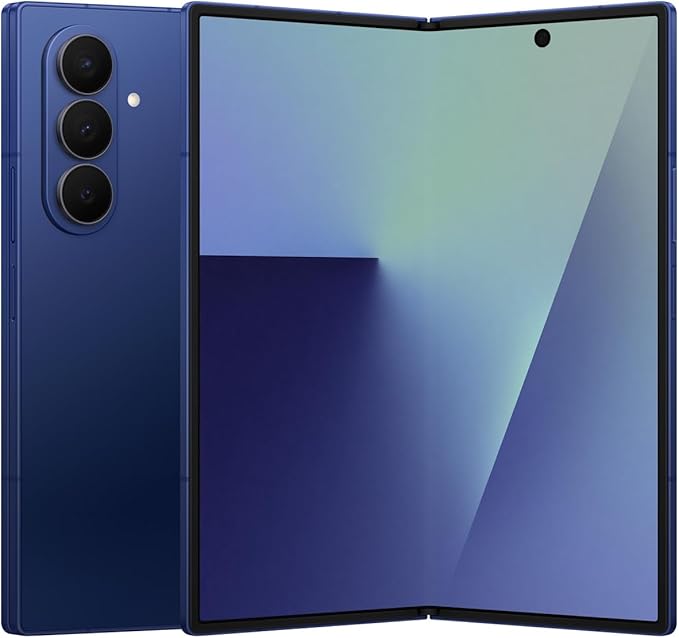
Alright, I’ve covered the upfront “pros,” “cons,” and “who should buy this,” so if you’ve made your purchase decision, feel free to bounce here. If you’re buying, grabbing it through the Amazon link below helps me out with affiliate income that goes toward blog server costs, domain fees, return shipping for loaned products, etc.
One Important Note
I’m not saying you have to buy on Amazon specifically, but regarding the Galaxy Z Fold, there are sketchy sellers out there, particularly ones selling “Korean versions.” This is seriously risky—Samsung will repair even secondhand devices if they’re “Japanese models” (though repairs are always paid), but they flat-out refuse to service Korean versions. So if it breaks, you either give up or try a local repair shop, but foldables are complex and most shops refuse them. In cases I’ve observed, shops that accepted the repair either couldn’t fix it or made it worse—though they didn’t charge in those cases. Point is: absolutely get the Japanese version.
Foldables have complex mechanisms that make them relatively fragile, plus there’s the pinching accident risk, so damage prevention is crucial.
Let’s Unbox This Beast
Time for the classic unboxing ritual.
Since Samsung PR Office provided a sample unit with contents that differ from retail, I was told not to photograph the contents in detail. So I’ll show you the box, the opened state, the contents, and since I own a Galaxy Z Fold6, I’ll include comparison shots.
Galaxy Z Fold7 Retail Box
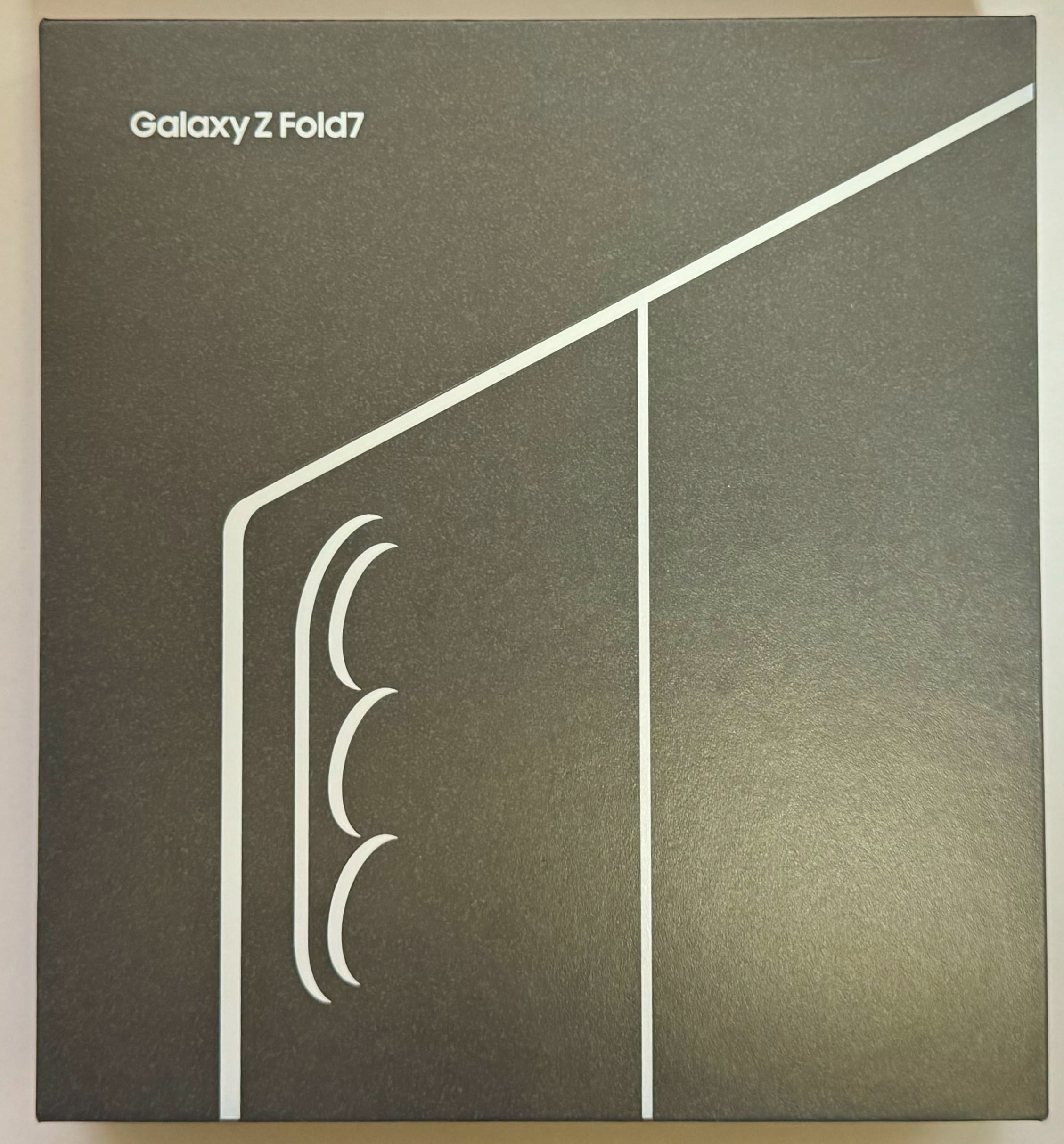
Here’s the retail box. As I mentioned with the Galaxy Z Flip7, flagship smartphones and tablets tend to go for flashy, colorful designs to stand out, but Samsung takes the “quality speaks for itself, use it and you’ll know” approach with confidence.
Way classier than tacky gloss, and the presentation screams premium.
Opening the Galaxy Z Fold7 Box
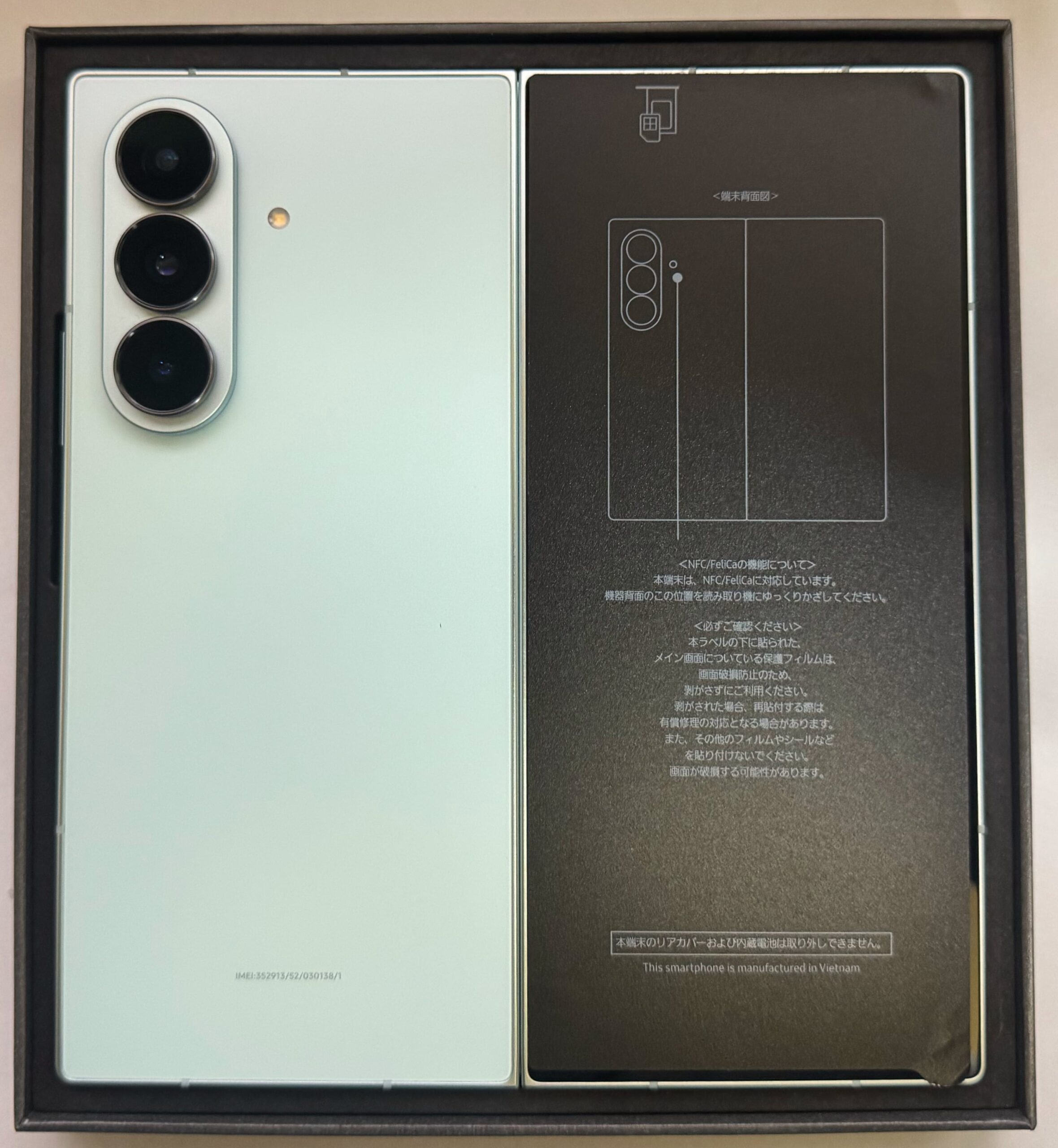
Opening the box reveals the device packed snugly inside. Normally this includes a USB-C to USB-C cable, with the charger sold separately.
About that sticker on the right—I wanted to peel it, but since it’s passed through several hands without being removed, I suspect peeling it might trigger consequences. Also, there’s a non-zero chance something’s sealed in there and I don’t want to risk possession. So I left it alone. My bad.
Galaxy Z Fold7, Contents Removed
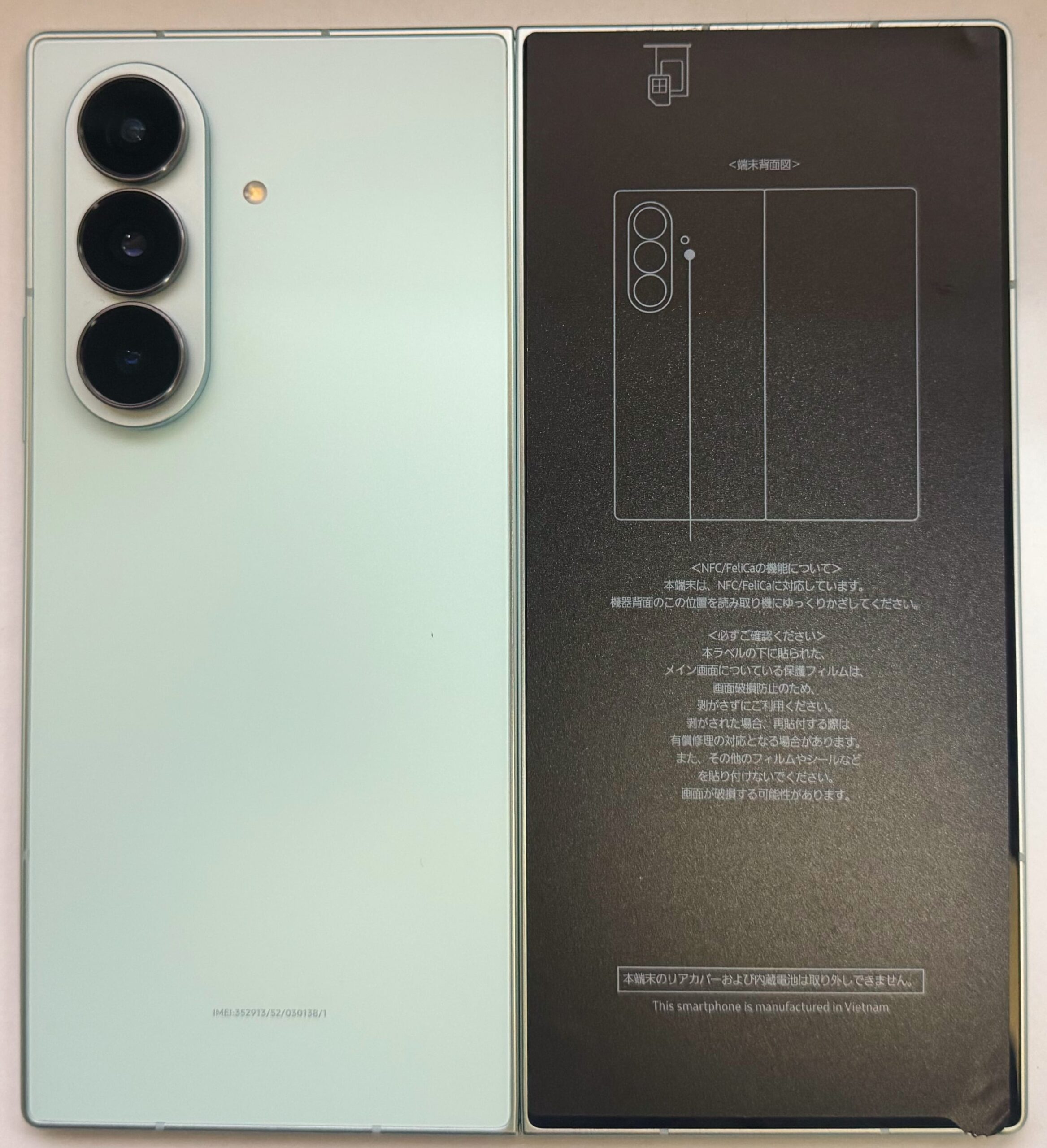
Device extracted. You’re probably wondering what’s different from the last photo—it’s just “no box in frame.” What you really want to see is the back design, right? Let’s move on.
Galaxy Z Fold7, Behold the Tablet Form!
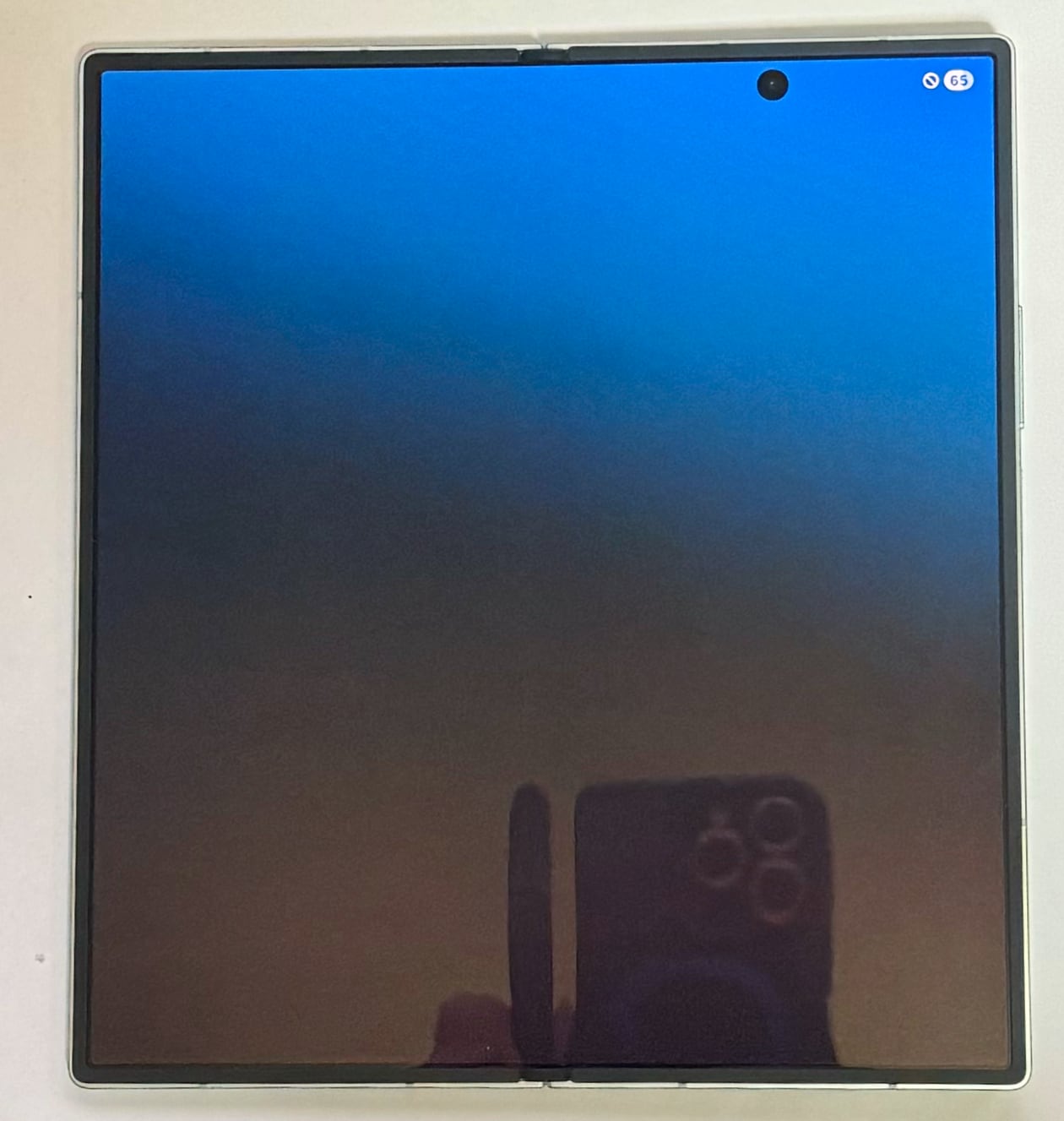
Behold the tablet form! (Sorry to those unfamiliar with Elden Ring. It’s playable on PS4/5, Steam, and next year on Switch 2, so take this chance to dive into the abyss with us.)
Plenty of screen real estate to satisfy full tablet usage. More than enough.
Now let’s compare it to the previous gen, Galaxy Z Fold6.
Galaxy Z Fold7 vs 6, Closed State Comparison
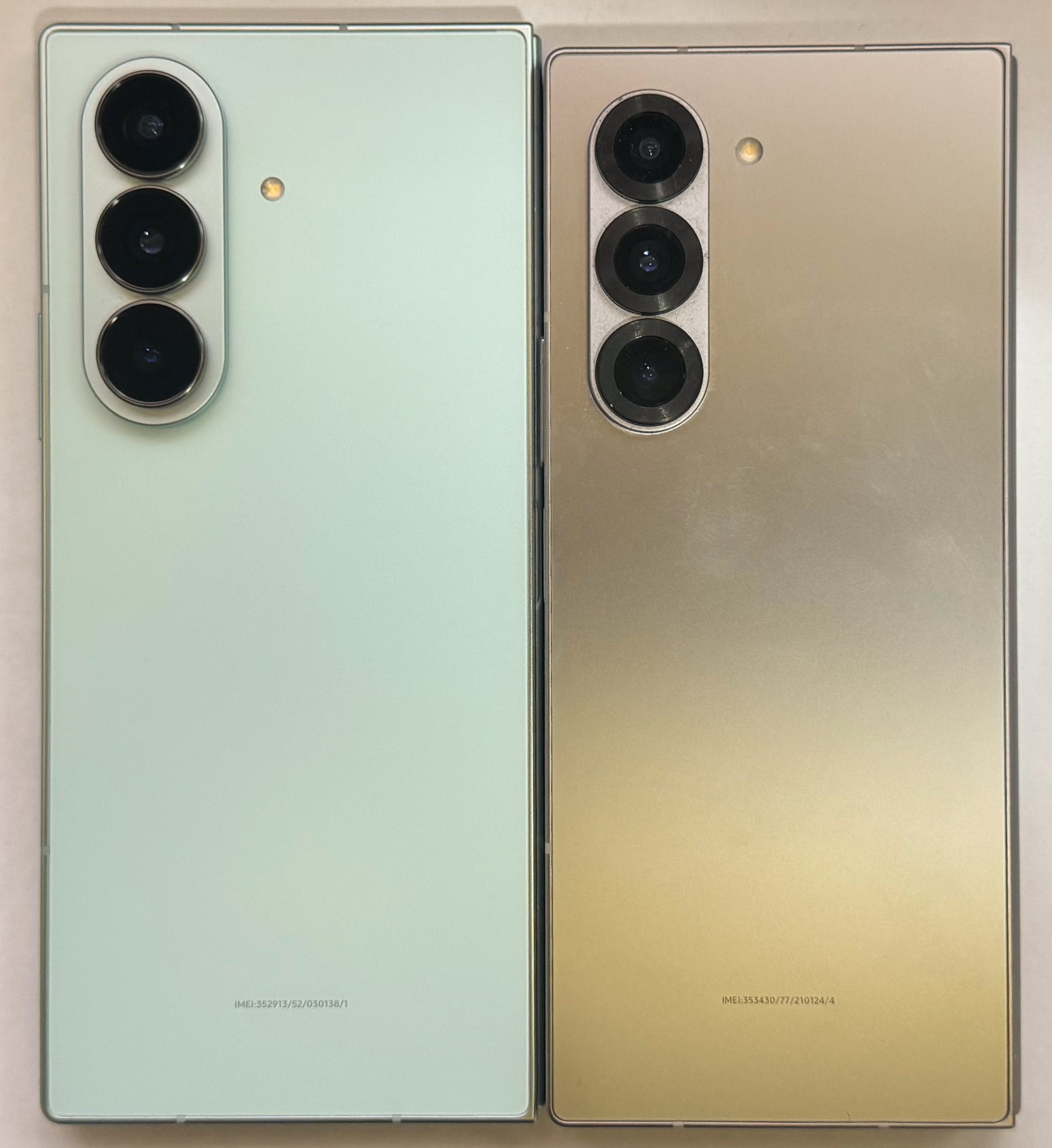
Left is the Galaxy Z Fold7, right is the Galaxy Z Fold6. Since the bottoms are aligned, you can see the height difference clearly—it’s taller. By the way, it’s also wider, but we’ll see that in another photo.
Galaxy Z Fold7 vs 6, Open State Comparison
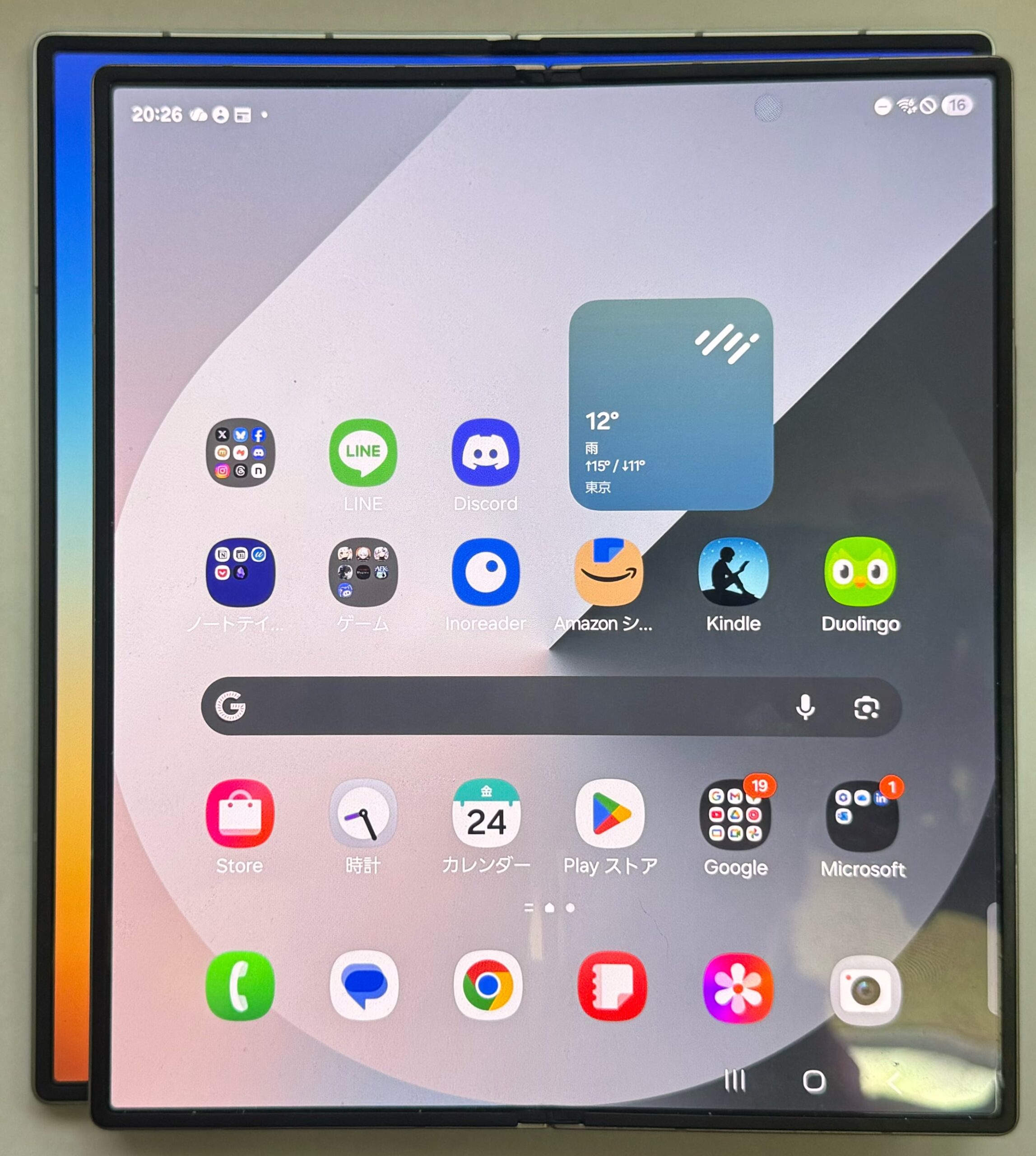
I messed up the angle when shooting this, so you might complain “they’re not aligned!” but I did align the bottom-right corners when taking the photo—the angle just sucks.
Even accounting for that, you can clearly see it’s noticeably bigger both vertically and horizontally, right?
Galaxy Z Fold7 vs 6, Side-by-Side?
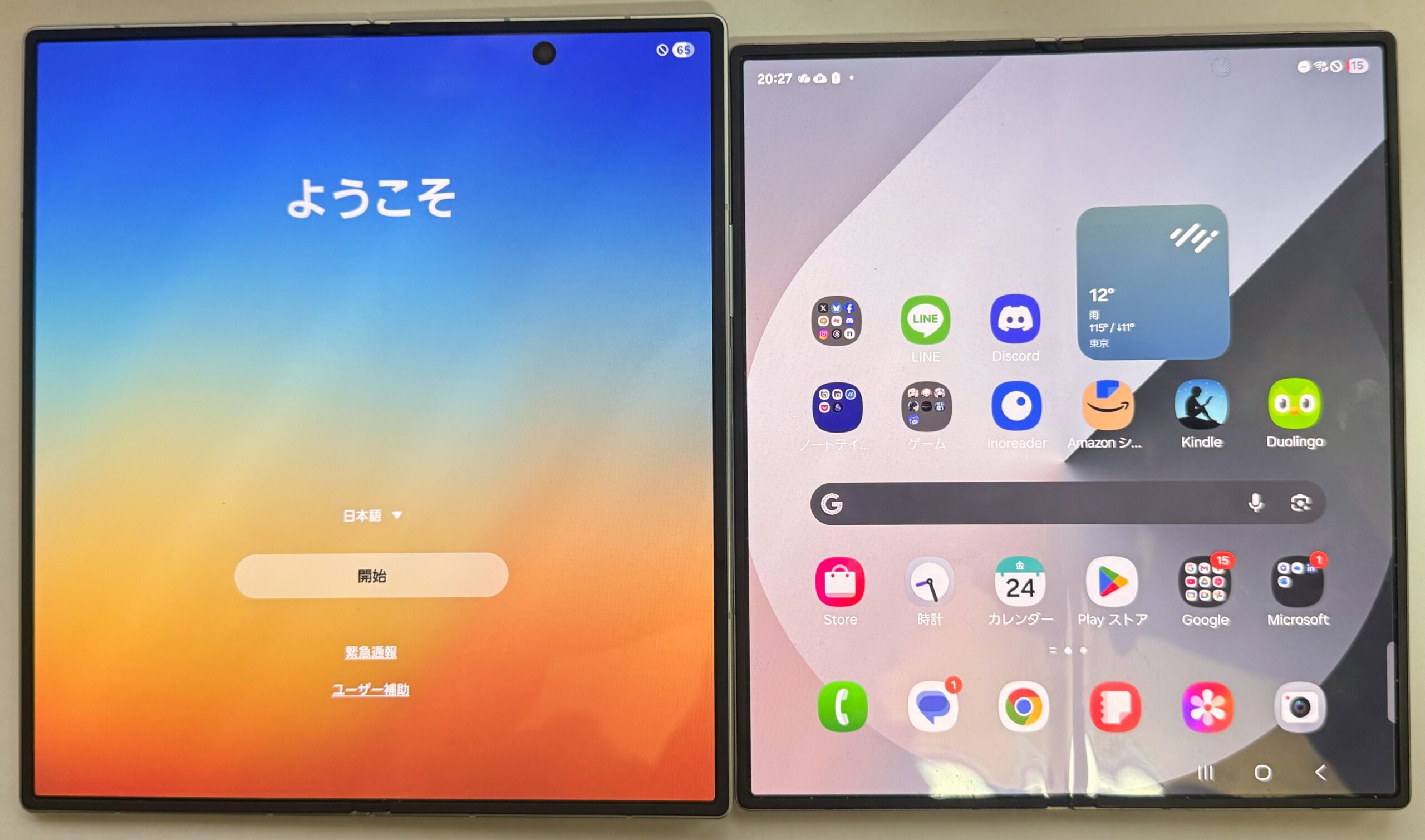
Some might say “don’t overlap them, just put them side by side,” so here you go—side-by-side shot. Since this is from the unboxing phase, the Galaxy Z Fold7 is showing the initial setup screen, but rest assured I’ve already used it extensively for this review.
Let’s Talk About What Makes the Galaxy Z Fold7 Special
If I had to sum up the Galaxy Z Fold7’s appeal in one sentence, I’d say: “The ability to fold a flagship tablet, pocket it, and take it absolutely anywhere.” This is probably the product’s ultimate selling point and why people choose it.
The “flagship” part should be self-explanatory. Performance—the more, the better. There’s no reason to compromise. So the real question is: just how appealing is “pocketing it and taking it anywhere”?
Let me explain.
What’s So Great About “Pocketing a Tablet”?
This is based on my personal experience—10-inch tablets just don’t work for me. They’re too heavy to carry around, and even at home, holding one gets tiring, so I stop using them. I’ve bought and sold several, ultimately concluding “10-inch tablets aren’t for me.”
Through experimentation, I determined my sweet spot is 8-inch tablets. Not too heavy, sufficient screen size for taking notes, perfectly readable for e-books, usable as a tool, and gaming doesn’t fatigue my hands. For Android, I settled on ALLDOCUBE, and for iPad, I bought the iPad mini (A17 Pro) 512GB cellular model.
The iPad mini is perfect. I carry it everywhere at home, and if I’m going out and expect to take notes, I proactively bring it. All my reading and gaming happens on it.
But look at what I just said: “if I’m going out and expect to take notes, I proactively bring it.” In other words, unless it’s for that purpose or GPS navigation, I don’t carry it. Even at 8 inches, it doesn’t fit in pockets, and since I generally don’t carry bags unless I have important documents, anything that doesn’t fit in pockets stays home. Put simply: “I don’t usually carry it.”
Yet situations where I want a tablet on the go aren’t rare at all—they’re actually pretty frequent. For example:
- Family needs a pickup at an unfamiliar location and I need GPS
- Researching something and need to zoom in, but phone screen hits its limit (presbyopia problems)
- Need to take notes while on a phone call but my phone’s in a holder on speakerphone, so I need another device—phone or tablet, doesn’t matter
- Killing time reading manga—tablet beats phone any day
- Done with manga, want to game on a big screen (everyone in my party is gorgeous, you know)
Just off the top of my head, there are tons of “ARGH! If only I had a tablet! DAMMIT!” moments.
Enter the Galaxy Z Fold7. This thing folds and fits in your pants pocket, so you can take it literally everywhere.
All those “DAMMIT!” moments? Solved. Terrifying problem-solving power.
Plus, the Galaxy Z Fold7 is also a phone—it has a phone number and you can make calls in folded mode. A phone-tablet hybrid that fits in your pocket. This is actually revolutionary.
The catch? You won’t realize how convenient this is until you buy it, pocket it, and walk around with it for 1 week to 1 month. Once you realize it, you’ll think “never letting this go.” But it’s such a shame this appeal doesn’t reach the wider world. Maybe it already has reached people, but they’re avoiding it because “too expensive.” If that’s the case, I’d say it’s worth the price—give it a shot.
What Else Is Good About It?
The above discussion veered into general foldable tablet-phone benefits, so let me cover what specifically makes the Galaxy Z Fold7 great:
- Insane Performance: The specs are monstrous. Any mobile game will run lag-free.
- Big Screen: For a tablet, as long as it doesn’t compromise portability, bigger is better. And this is seriously big without compromising portability.
- Games Run: Some foldables can’t run certain games due to Google Play Store settings or developer restrictions, but in my testing, Genshin Impact, Wuthering Waves, Zenless Zone Zero, and Wizardry Variants Daphne all ran flawlessly. Buttery smooth.
By the way, tangent—you know those “phone grip game controllers” like the official PlayStation BackBone ONE? You’d think they only work with regular phones, but with the Galaxy Z Fold7 (and the 6), if you get a controller with a USB-C connector on the left side, you can play with the unfolded screen facing up. Most products have the connector on the right, but GameSir’s GameSir x2s (link to related article) has it on the left, so I recommend it.
Genshin Impact, Wuthering Waves, and Zenless Zone Zero all support the above controller (Wuthering Waves wasn’t controller-compatible in my previous article but now it is), but Wizardry Variants Daphne doesn’t support controllers and is “portrait-locked,” so using a controller makes the screen rotate sideways, making it unplayable. And since the controller doesn’t work anyway, don’t bother.
So Here’s the Verdict
There’s a lot of text here and some of you might be lost, so let me quickly summarize:
- Pocketing a Tablet Is Insanely Convenient: Once you experience it, you’re hooked.
- Price Is Steep But Flagship + Added Value = Worth It: A foldable flagship is absurd in the best way. Serious engineering feat.
- Once You Buy It, There’s No Escape—So I’m Inviting You Into the Abyss: Having a constantly usable tablet in your pocket is something you can’t let go of once you’re used to it. Buy it and sink into the depths with me.
That’s my conclusion.
My opinion is “worth buying” and “if you can afford it, you should buy it,” so here’s the product link one more time:
Thanks for reading my blog today!
Comments are always welcome! Feel free to drop one—I’ll reply as soon as I see it!
